
 ×
×
ChatGPT + Skylar
You already live in ChatGPT. Now ask it how your team is practicing, see which reps are getting stuck, and launch the right practice to fix it—Skylar answers with interactive widgets right inside the chat.
See it in action
Ask in plain language. Skylar answers with interactive widgets, right inside the chat.
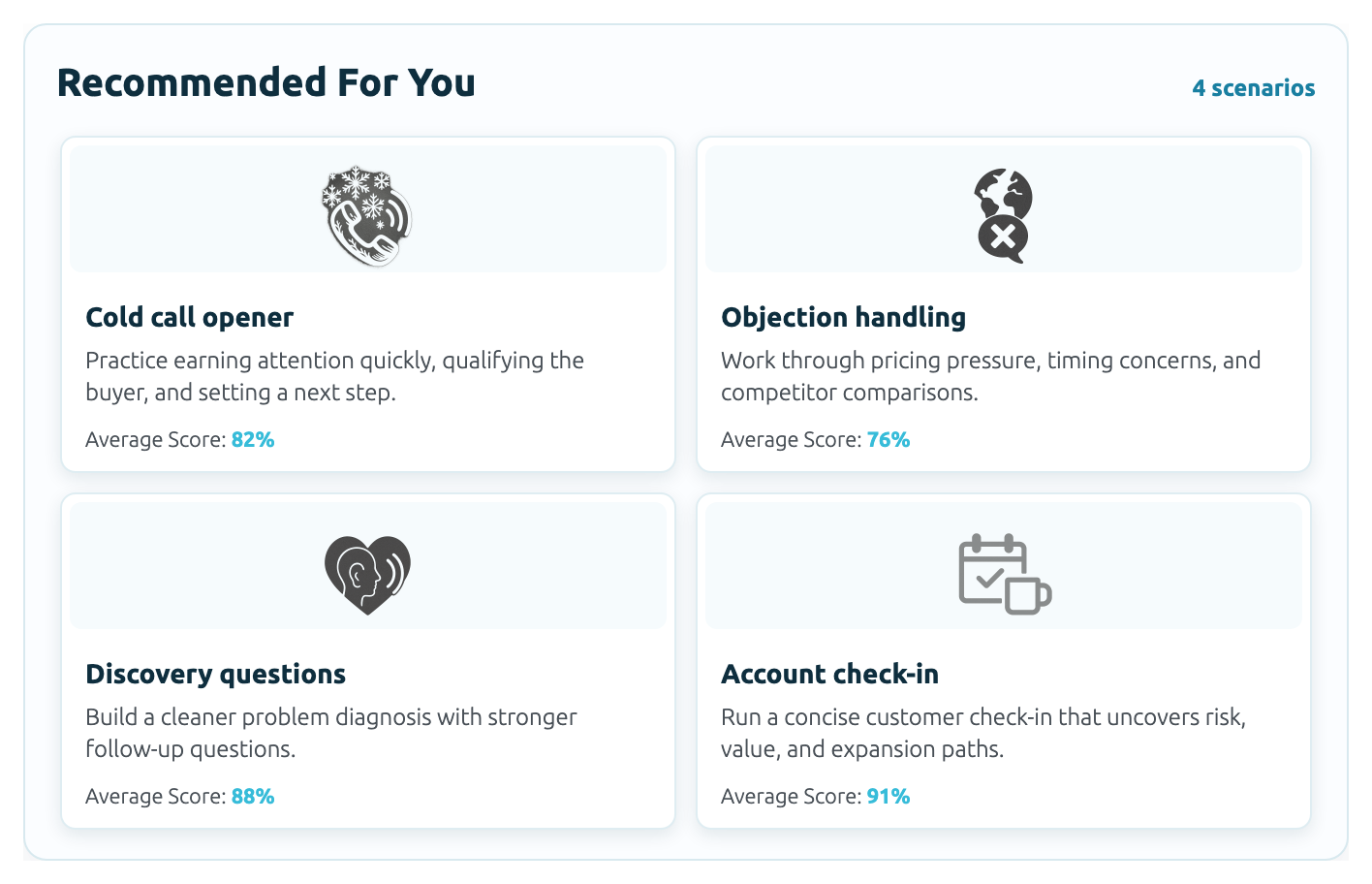
“I want to practice handling objections for my next call”
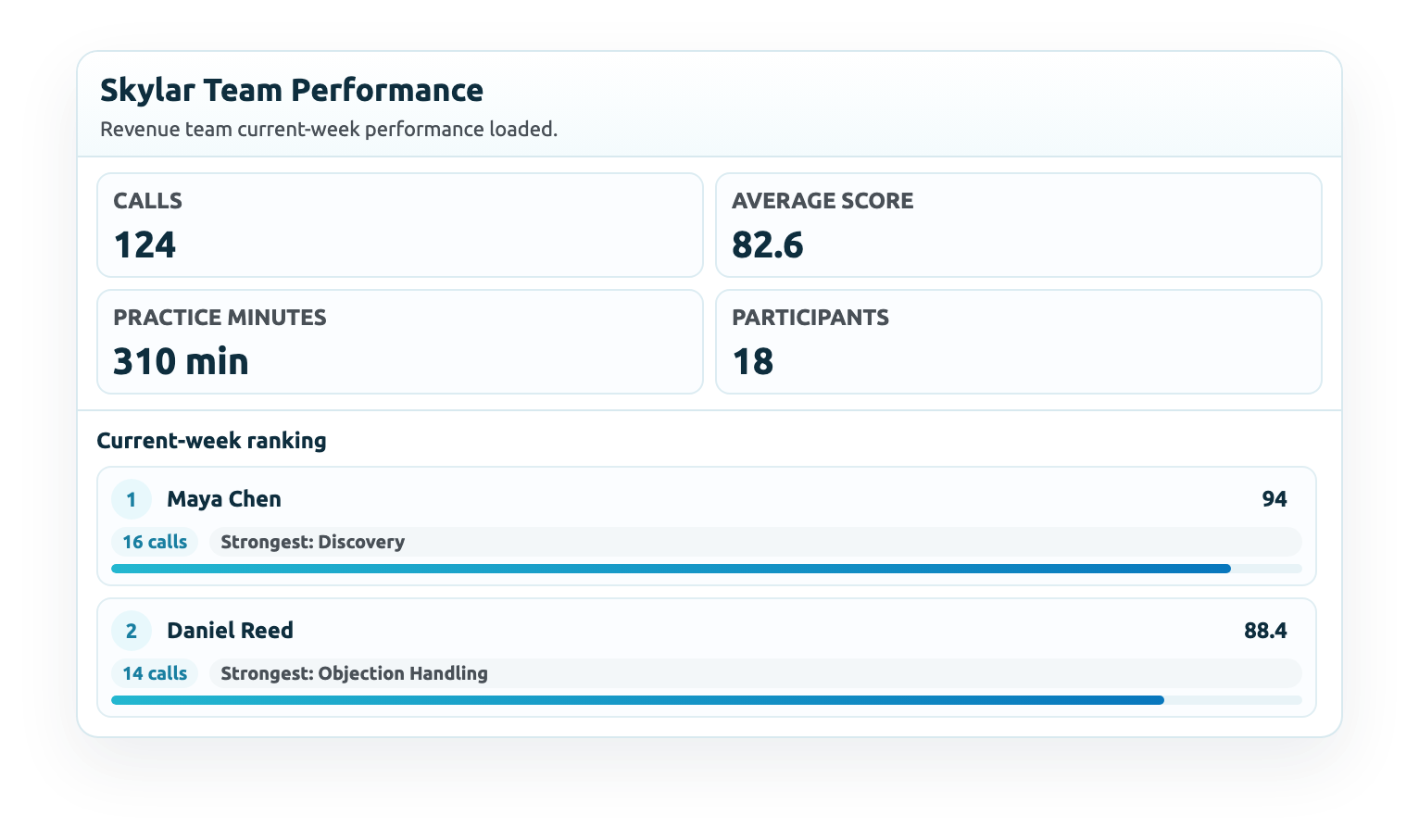
“How is my sales team’s skills improving this week?”
Why teams connect Skylar to ChatGPT
Coaching where you already work
No new dashboard to open. Ask Skylar in the same place you think, write, and plan your day.
See the week at a glance
Practice calls, average score, minutes practiced, and team rankings—answered in plain English.
Spot who needs support
See which reps and skills are slipping this week, so you know who to coach next.
Practice on demand
Big call tomorrow? Say so, and Skylar pulls up a matching scenario you launch in one click.
See it, don't scroll it
Practice calls, scores, and rankings render as compact Skylar widgets, clear at a glance.
Secure by default
Authenticated OAuth, results scoped to the workspace you are allowed to access.
How it works
Add the Skylar app
Open Skylar in ChatGPT and connect with your Skylar account.
Authorize securely
Sign in with OAuth. Skylar only sees the workspace you are allowed to access.
Ask about your team
Check current-week performance, team structure, and where reps need help.
Choose the right practice
Skylar shows practice scenarios—discovery, objections, and more—to launch in Skylar.
Act on the widgets
Read interactive results in the chat and decide the next coaching move.
Try these prompts
"How is my sales team's skills improving this week?"
Get current-week practice performance and rankings in a single widget.
"I want to practice handling objections for my next call"
Skylar shows practice scenarios you can launch in Skylar with one click.
"Show me how my team is set up"
See active members, role mix, and how your teams are configured.
"Which reps should I coach next?"
Spot where practice is lagging so you know where to spend your time.
Data, permissions, and requirements
Bring Skylar into ChatGPT
Connect in a minute and start coaching from the chat you already use every day.