
Step 1
Invite received
The new user opens the Skylar invite link sent by their organisation, coach, or enablement team.
Product onboarding
Skylar onboarding takes a new user from an invite link to account setup, a first guided roleplay, a company-specific practice scenario, reflection, and assessment feedback.
A new Skylar user first accepts an invite, creates their account, completes a short onboarding roleplay, practices the organisation's default scenario, reflects with the AI coach, and receives scores and feedback.
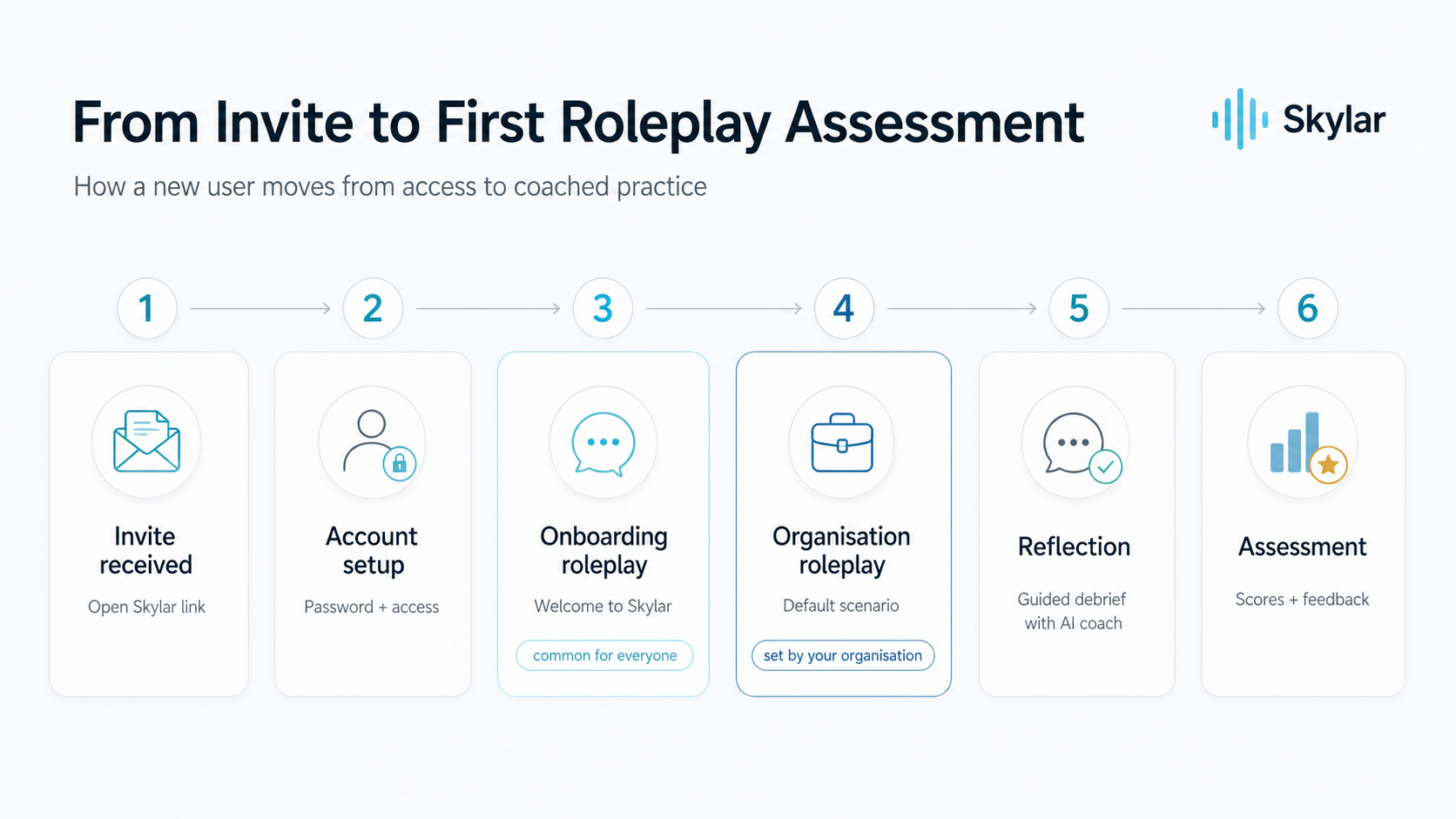
The flow is designed to make the first Skylar experience clear for the user while giving the organisation a consistent way to introduce coached practice. The first roleplay explains the product experience. The next roleplay connects practice to the organisation's real coaching priorities.
Step 1
The new user opens the Skylar invite link sent by their organisation, coach, or enablement team.
Step 2
The user creates their password and confirms access to Skylar.
Step 3
The user completes a short welcome roleplay that introduces how Skylar practice works.
Step 4
The user starts the default scenario set by their organisation.
Step 5
After the roleplay, the user receives a guided debrief with the AI coach.
Step 6
Skylar provides scores and feedback after the user completes the practice flow.
For coaches and enablement
Sales coaches and enablement teams need users to understand Skylar before they are assessed on a real organisation scenario. The onboarding roleplay creates a common baseline, so users know how to speak with the AI coach, complete practice, and review feedback.
The organisation roleplay then makes the experience specific. Teams can connect the first serious practice session to their messaging, qualification process, buyer personas, or training programme.
Short answers for people evaluating or rolling out Skylar to new users.
This onboarding flow is for new Skylar users who have been invited by an organisation, sales coach, sales trainer, or enablement team.
A new user starts by opening their invite link, creating their account, and completing an onboarding roleplay that introduces the Skylar practice experience.
Yes. After the common onboarding roleplay, the user moves into an organisation roleplay that can be set by the company, sales coach, or enablement team.
Reflection turns the roleplay into coached practice. The user reviews the conversation, receives guidance, and understands what to improve before the next attempt.
Open Skylar if you already have access, or speak with the team about setting up your workspace.